 Need for travel
This update is mostly about the electronics. Over the last weeks the Sienna got its own little computer network: a gateway full of sensors, a 4.3″ touch screen under the rear-view mirror and a Hub at home where everything is set up and updated. Here is what it is, how it is built and how we change it. At the end, a small but very practical bonus: more USB-C charging ports.
What it is
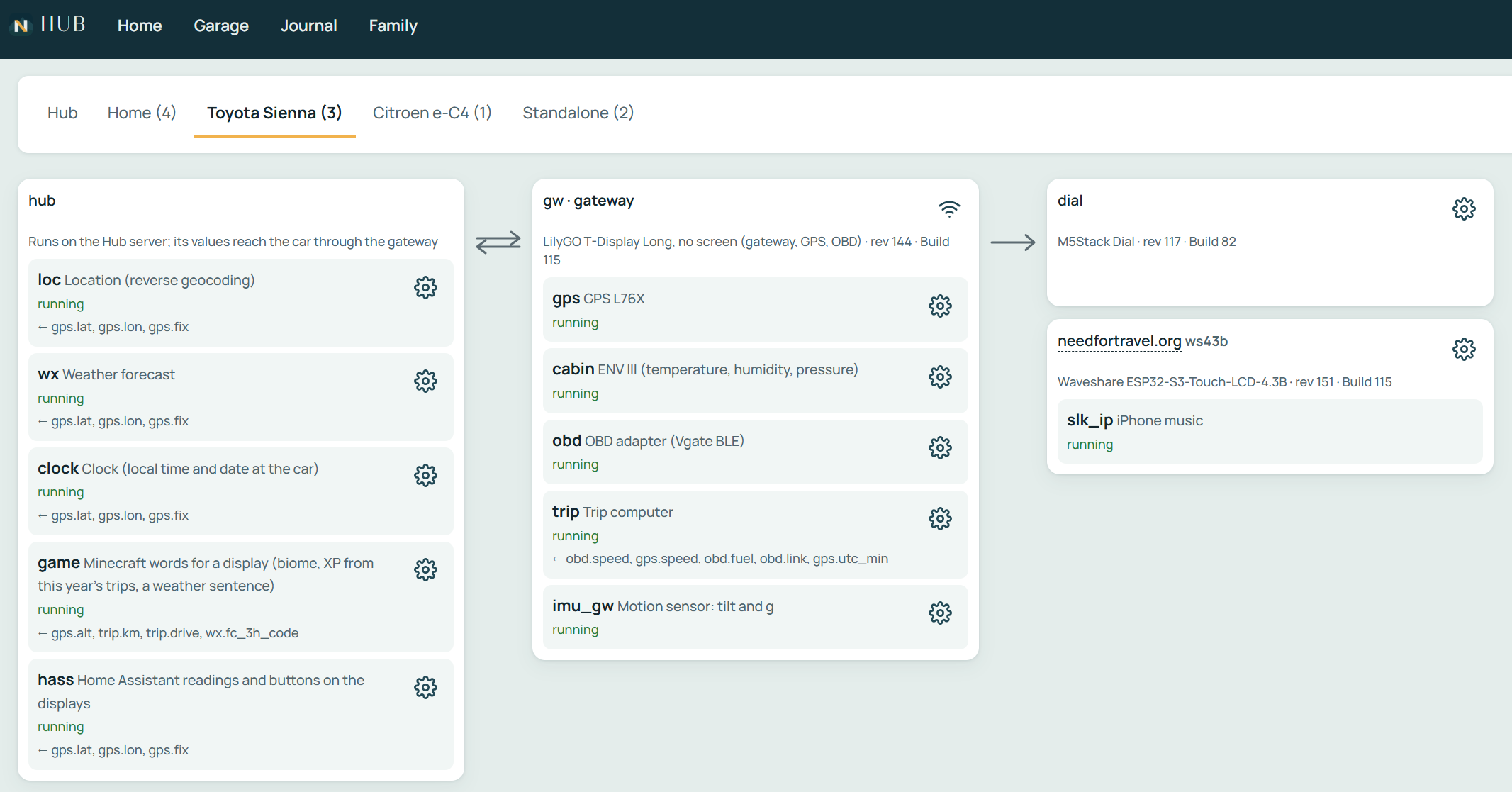
The system has three parts:
- The gateway – a LilyGO T-Display Long board hidden in a printed box behind the windshield. Its display is broken, so we simply use it as an ESP32-S3: no screen, just a capable little computer. It reads the car and the sensors and passes the values to the display.
- The display – a Waveshare ESP32-S3 4.3″ touch screen (WS43B) mounted under the mirror.
- The Hub – our own server at home. It knows every board in the car, adds data the car cannot get on its own and is where the screens are designed and the firmware is built.
The sensors
Everything on the screen comes from one of these sources:
- GPS (L76X) – position, speed and altitude.
- Cabin sensor (M5Stack ENV III) – temperature, humidity and air pressure inside the car.
- OBDII over Bluetooth (Vgate BLE adapter) – battery voltage, coolant, engine oil and transmission (ATF) temperature, the current gear, engine load, speed and fuel. The gateway also reads trouble codes and can clear them.
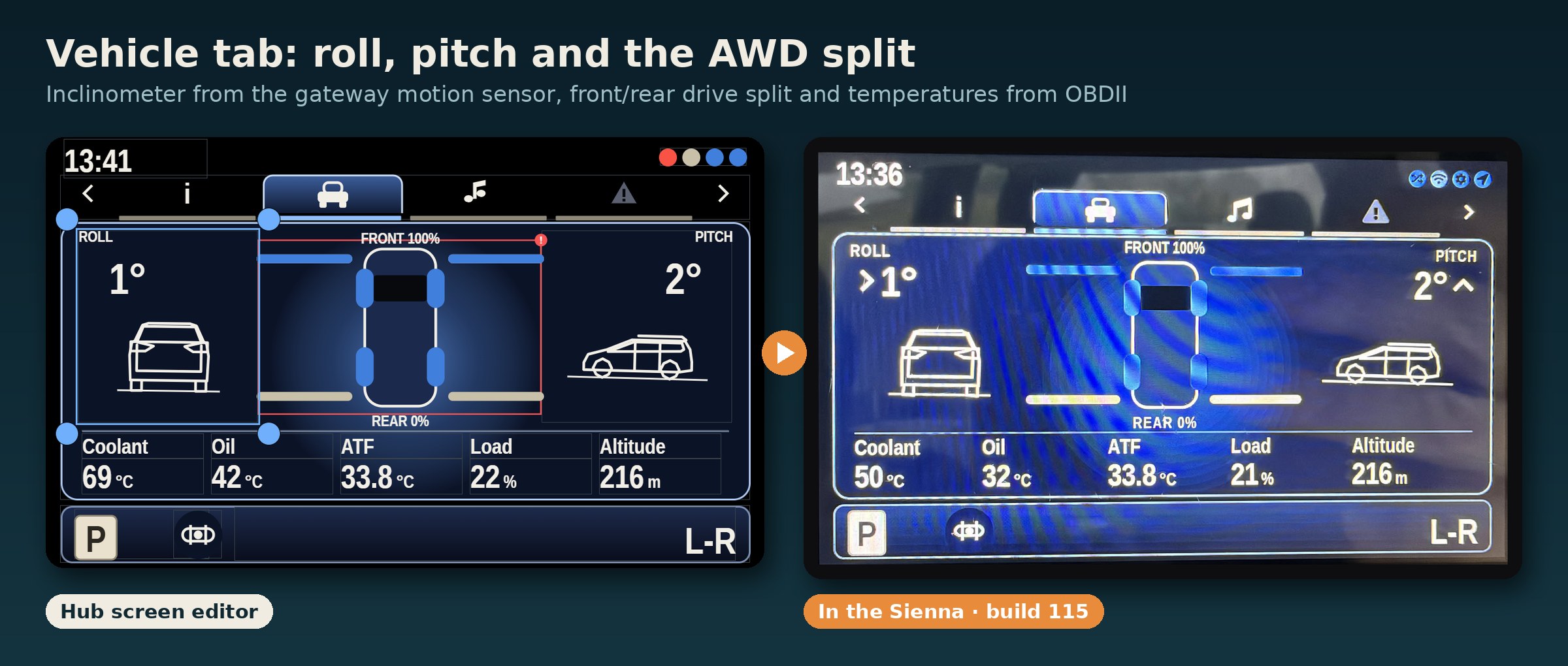
- Motion sensor (IMU) – tilt (roll and pitch) and g-forces. Handy on uneven campsites and forest tracks. Build 115 taught it to ignore the sideways push in long bends by using the speed from OBD and GPS, so it no longer shows a false tilt in curves.
- Trip computer – distance and driving time, calculated on the gateway from OBD and GPS.
- Hub widgets – things computed at home from the car’s position: the place name (reverse geocoding), the weather now and in 3 hours, the local time and date, a word game for the kids and readings and buttons from our Home Assistant.
How it is built
The gateway connects to the Hub over the phone’s hotspot (MQTT over a secure connection) and talks to the display directly over ESP-NOW, a fast radio link between ESP32 boards. Every packet is signed, so a stranger’s board cannot inject values. Each value travels with its own description, so a new sensor on the gateway shows up on the display without updating it first. When there is no internet, the screens keep working with the data from the car; only the Hub widgets wait for the next connection.
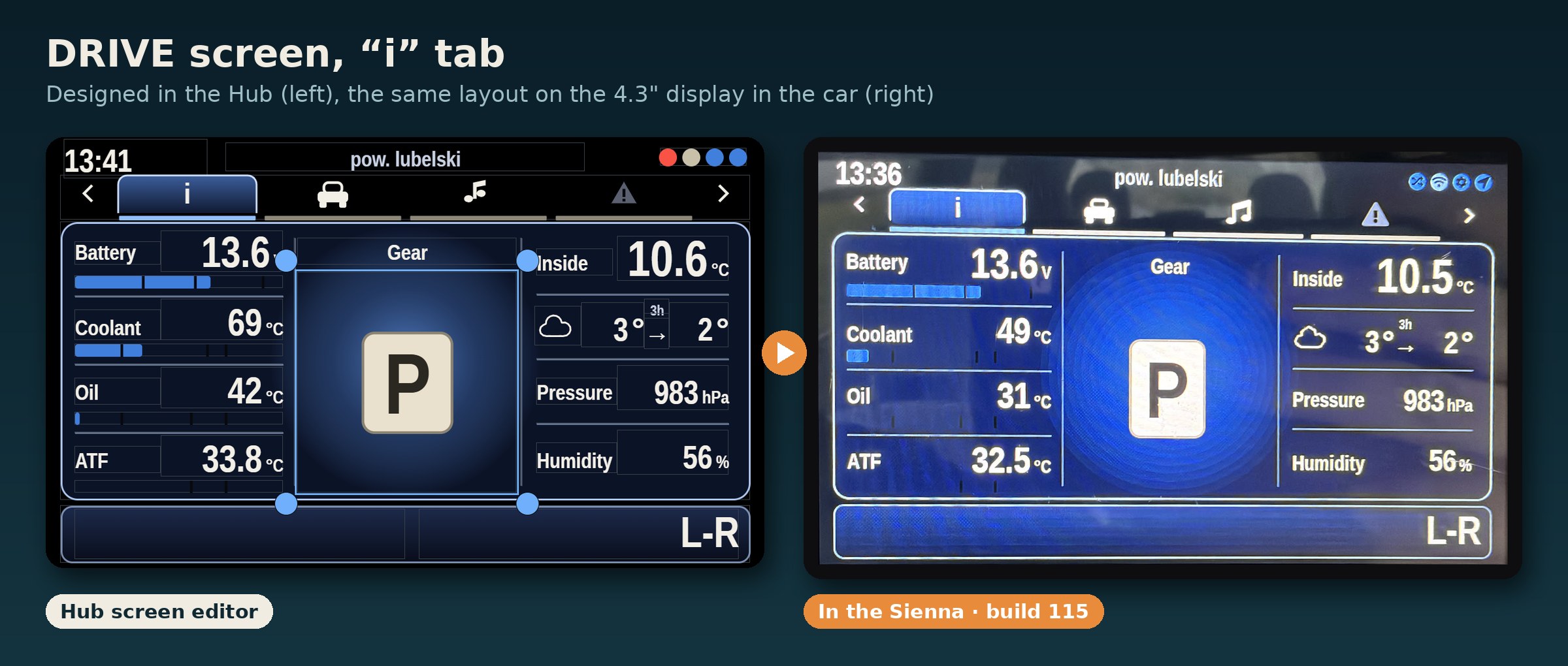
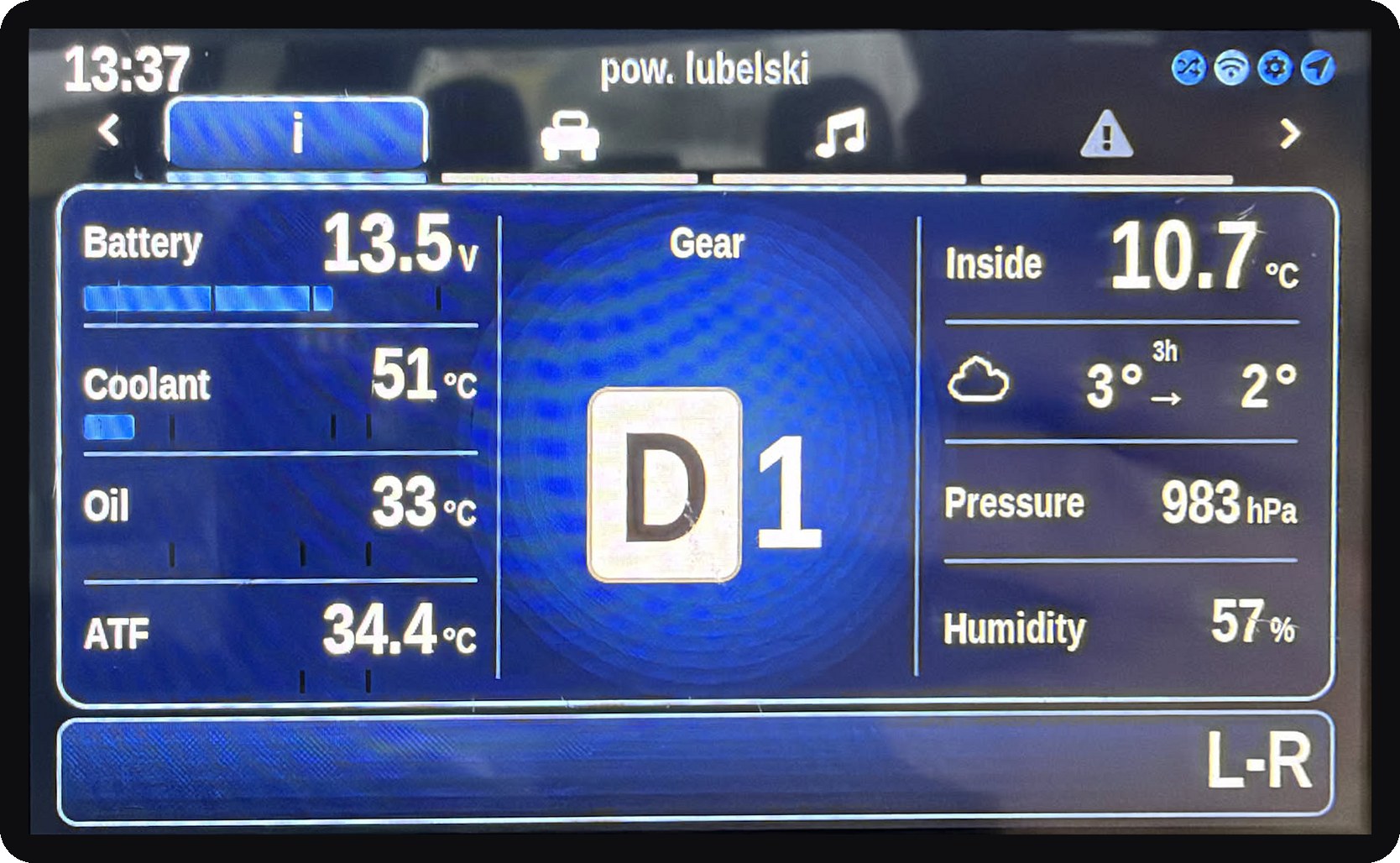
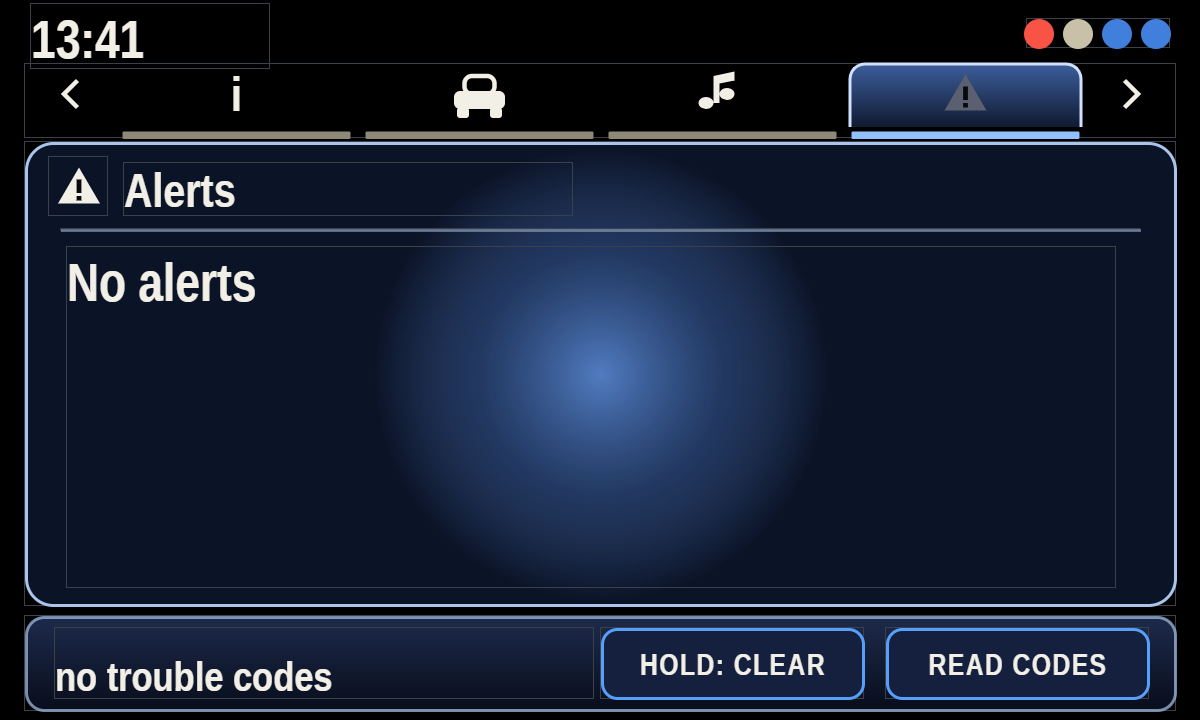
The main display has four tabs: info (temperatures, gear, cabin and weather), vehicle (roll, pitch and the front/rear drive split), music (controls for the iPhone) and alerts (warnings and trouble codes). The look is our own “Sienna” skin.
How we change it
No code is needed to change a screen. The Hub has a screen editor with a ribbon like an office program: we drag a widget, pick its data source from a list (for example imu_gw.roll for the roll angle), set colours and sizes, and press Save and apply. The new layout goes to the car over the air within seconds. The play button runs a simulation with sample values, so we can see how the screen behaves before it reaches the car. Every save is a new revision, so going back is one click.
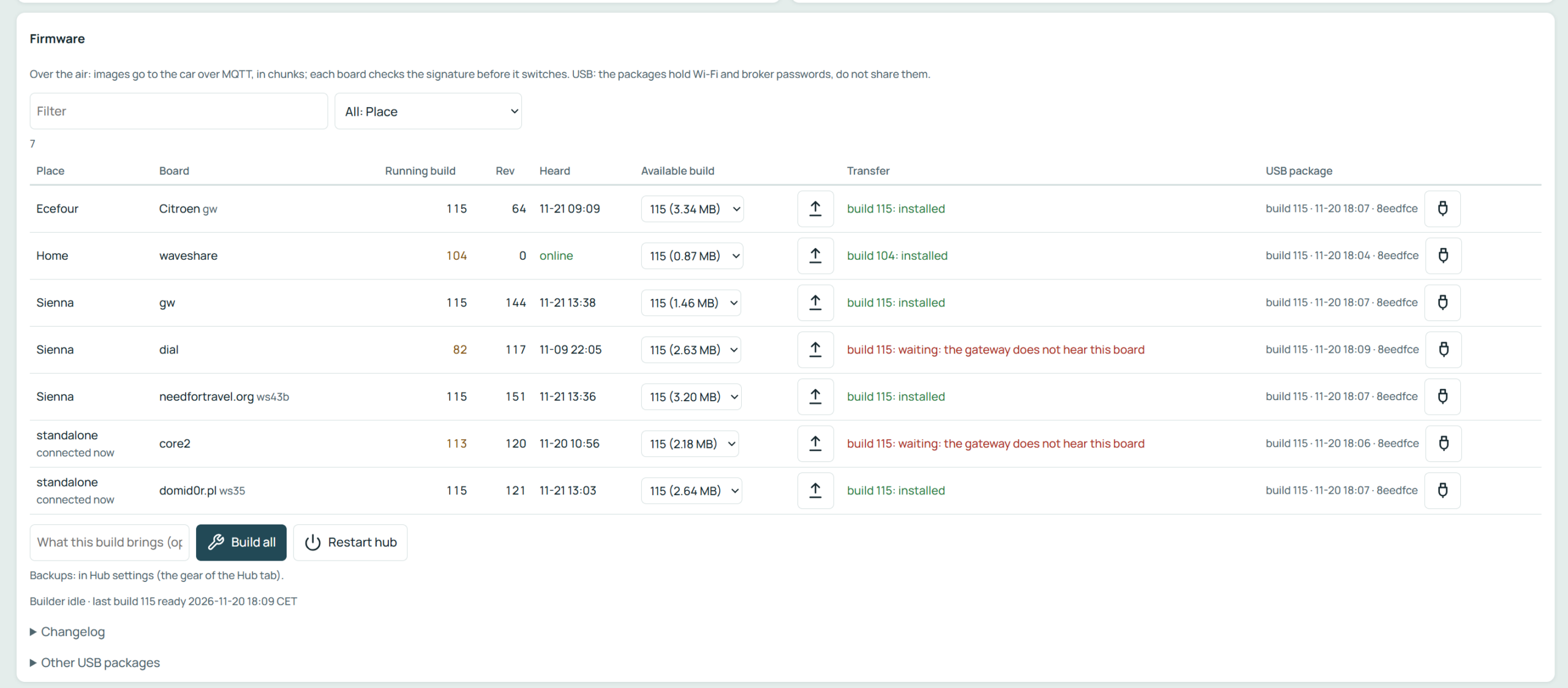
Firmware updates work the same way. The Hub builds one release for all our boards, then sends it to the car over MQTT in small chunks. Each board checks the signature of the new image before it switches to it, and it can roll back if something goes wrong. Right now the gateway and the main display run build 115.
Garage and the health report
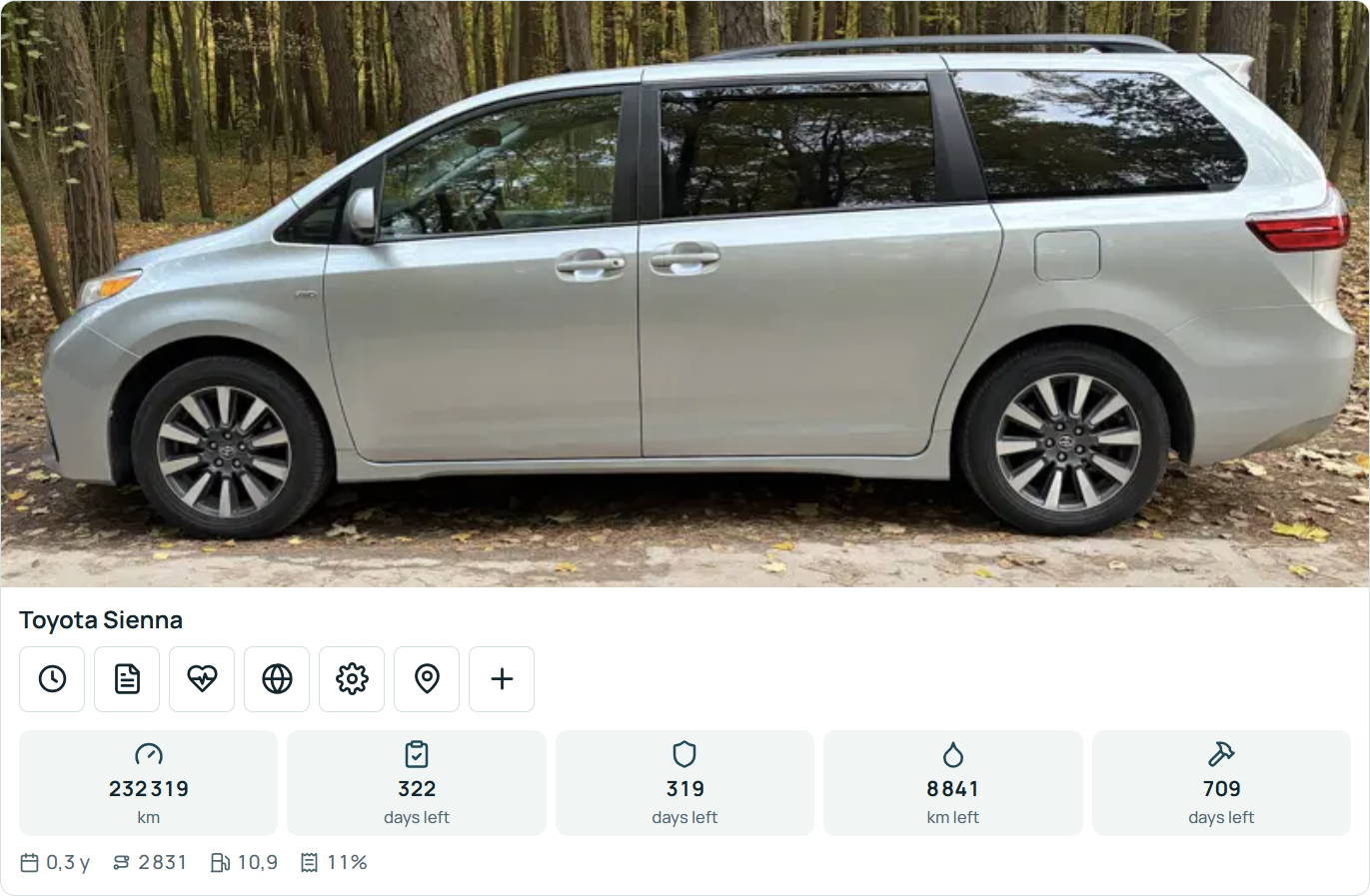
The Hub is also our garage. Each car has its own card with the mileage, reminders for the inspection, insurance, oil change and service, and quick stats like consumption.
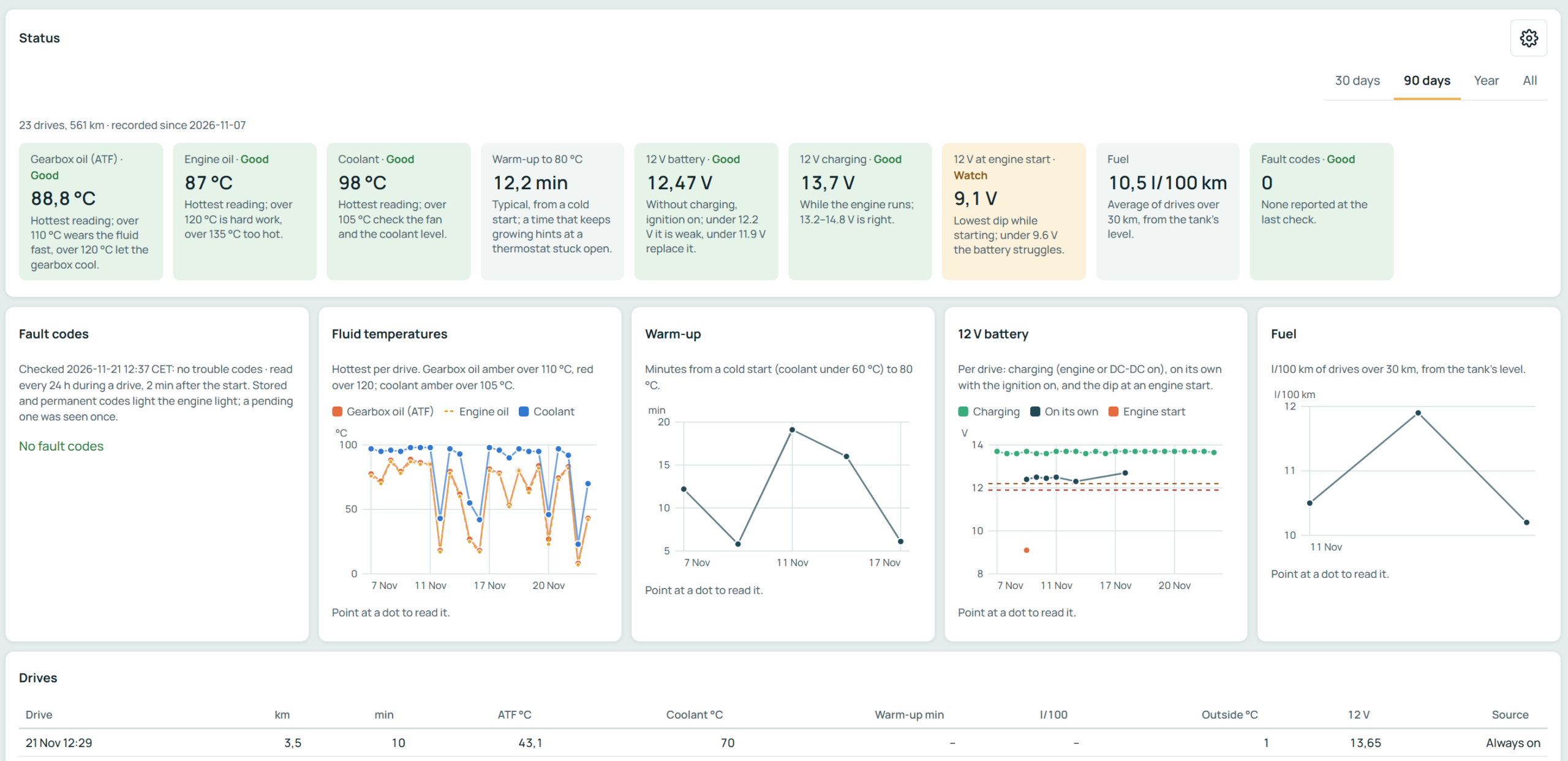
Behind the card the Hub records every drive. All values coming from the car are saved: temperatures, voltages, speed, gear, fuel, position and more, so we can always look back at any trip. From these recordings the Hub builds a health report: the hottest ATF, engine oil and coolant per drive, how long the engine takes to warm up, the 12 V battery at rest, while charging and its dip at engine start, the real fuel consumption from the tank level, and a daily check for trouble codes. Every tile says in plain words whether the value is good or worth watching, and the Hub sends a notification when something gets worse.
Bonus: more USB-C
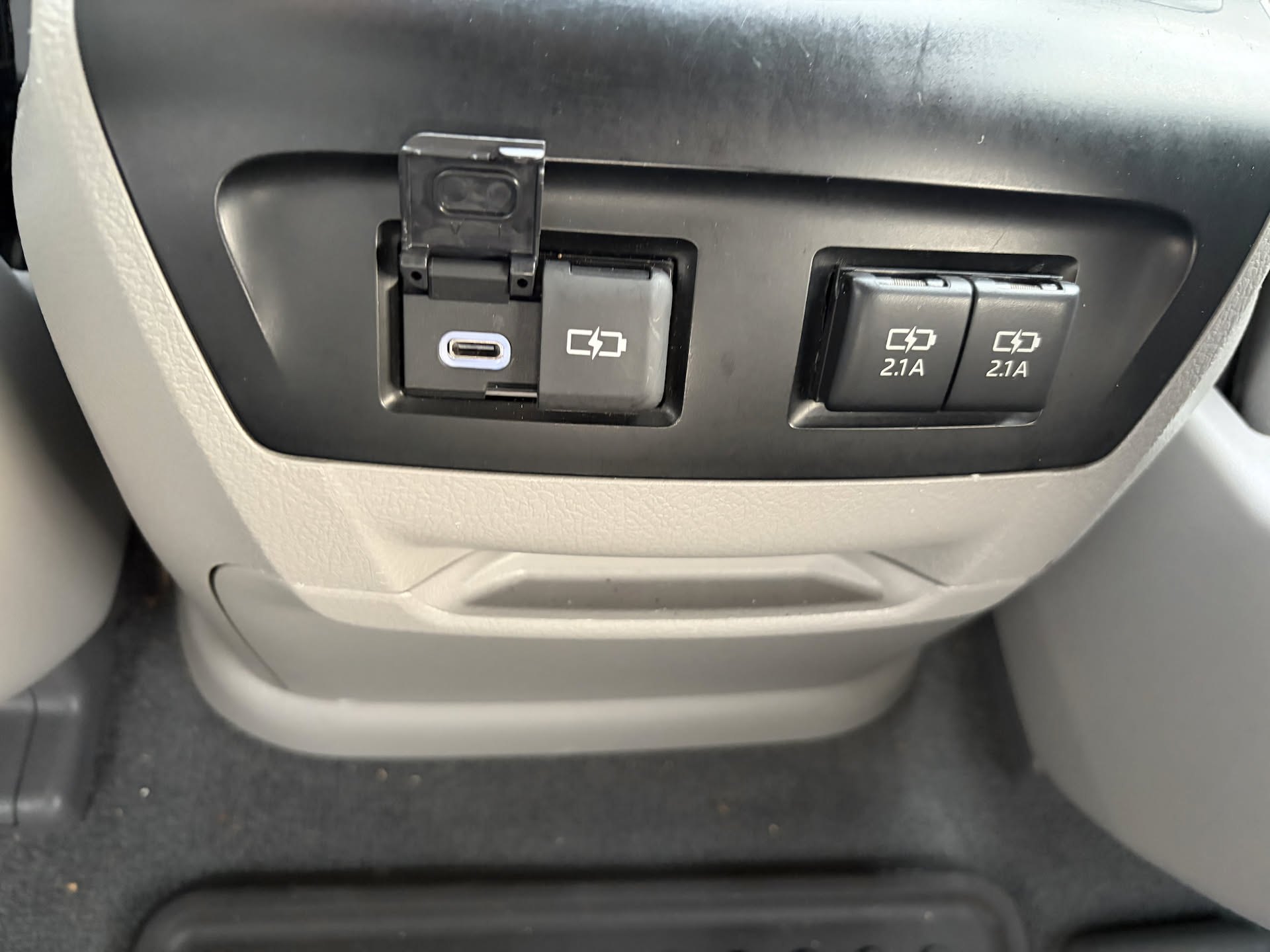
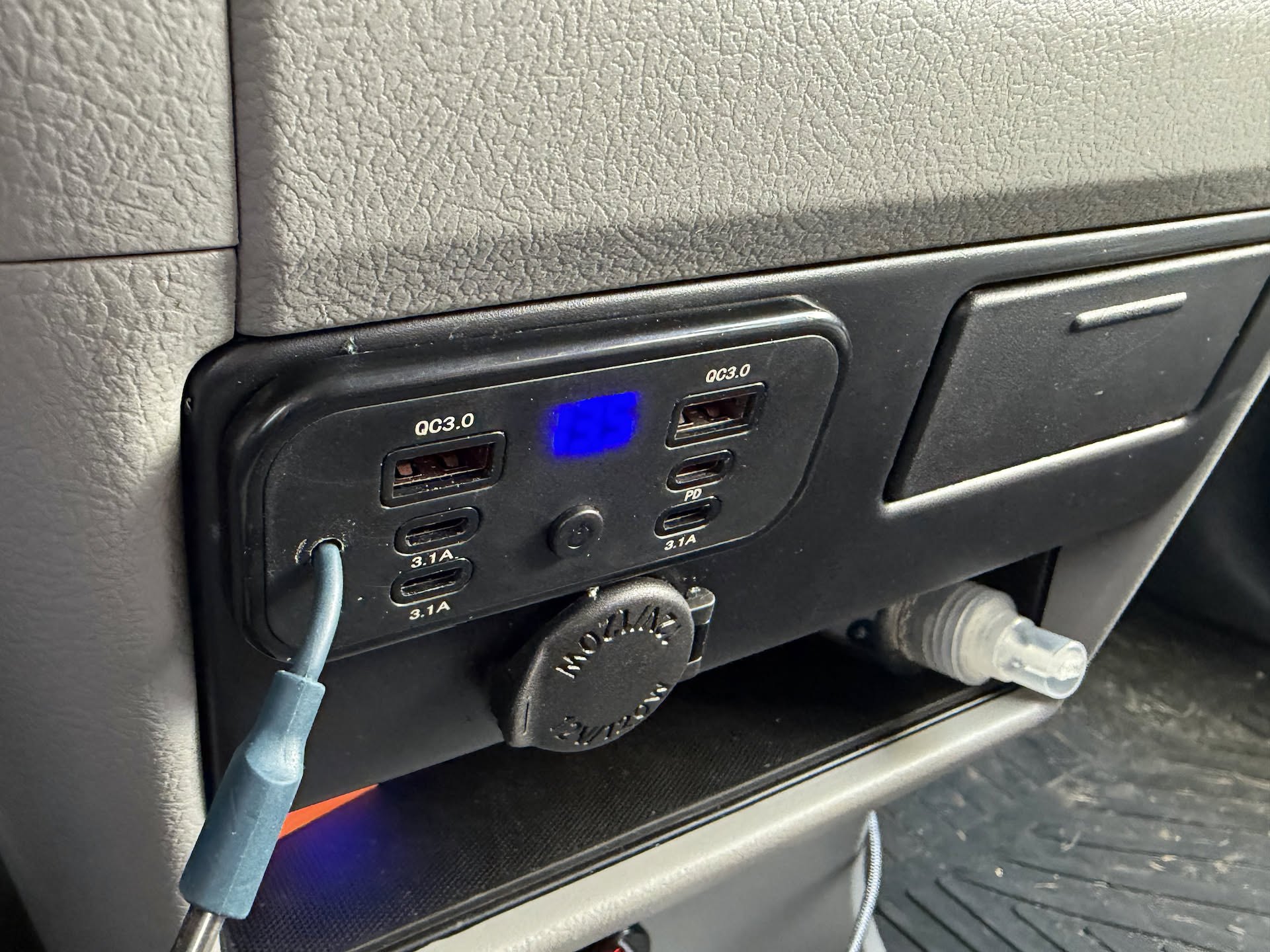
With phones, tablets, cameras and all these boards, the Sienna’s two original 2.1 A USB-A sockets were not enough. The first upgrade was easy: a USB-C charging module from the new RAV4 fits the Sienna’s console plug and play, no wiring needed. We also added a panel with several more ports: two QC 3.0 USB-A, USB-C PD and three 3.1 A USB-C, plus a small voltmeter. Now everyone can charge at the same time.
Step by step, the Sienna is becoming our travel base, and now it can tell us a lot more about itself.